 SplitterUp
If you've been splitting bills in SplitterUp in English because that was the only option, it isn't anymore. As of v1.31.0, SplitterUp speaks six languages: English, Español (Latinoamérica), Deutsch, Slovenčina, Polski, and Français.
You don't have to do anything to get it. If your phone is already set to one of the five new languages, SplitterUp switches on its own the next time it opens. If you'd rather read the app in a different language than your phone uses, open Account → Language, pick one, and it sticks on that device — each language is named in its own language in that list, so you can find yours without reading the others first.
The translation covers more than the screens you tap through. Push notifications and the notification list arrive in your language too, and older notifications switch along with everything else when you change it. Group email invitations go out written in your language too, since the people you invite most likely share it. Even the permission prompts asking to use your camera, contacts, Face ID, or location are translated, so nothing suddenly reverts to English partway through a flow.
Numbers and dates follow the same rule instead of defaulting to US formatting. A German reader sees 1.234,56 € where an English reader sees €1,234.56, and a Slovak reader sees 1 234,56 €. German dates read 15. Jan. instead of Jan 15. The animated balance on the Dashboard counts up in the same style. One detail that doesn't change: when you're typing an amount in, you still use the decimal key your phone's own keyboard gives you, whatever language the app is showing.
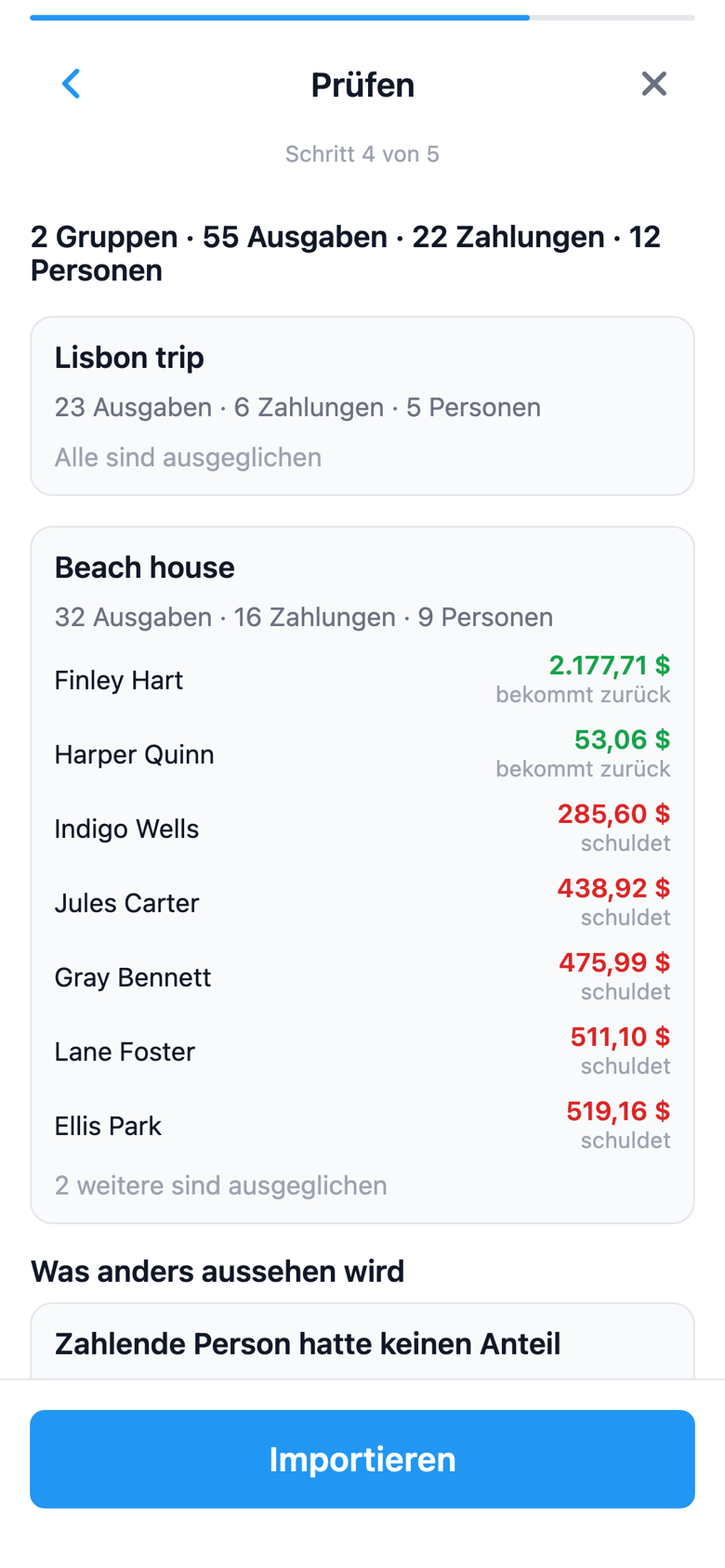
One thing we want to be upfront about: we didn't hire professional translators for this. The translations were produced with AI tools rather than by native speakers, so if a word or a whole sentence looks off in your language, please tell us. Report it from Feedback on your account screen, or email support@splitterup.app, and we'll get it fixed.
The language setting lives in the app itself; this website is still in English for now. For everything else SplitterUp does, see the features page.
Choosing a bill-splitting app usually comes down to more than language support. If you're weighing SplitterUp against the alternatives, our roundup of the best expense splitting apps compares features, limits, and price across the major options.
Try SplitterUp in your language
Download SplitterUp and it will follow your phone's language automatically, or you can choose one under Account → Language.