Your shared life.
One balance.
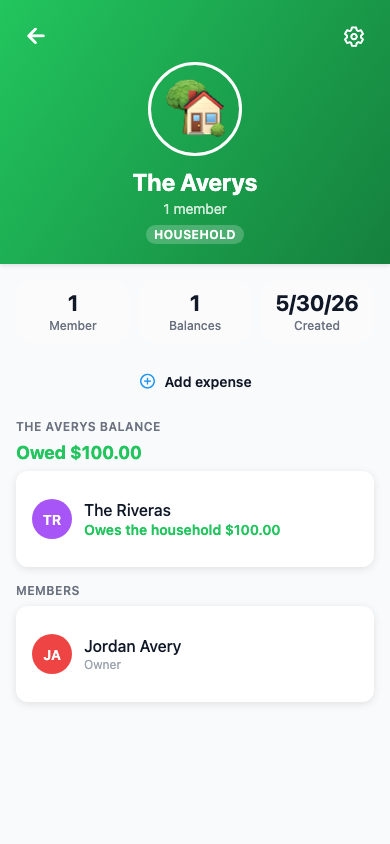
Some expenses aren't between you and a friend — they belong to a whole unit. Households gives that unit a name, a balance, and one place to settle up.
Built for the way you actually live
Any two (or more) people who share a financial life can be a Household.
Couples
Split dinner, utilities, and weekend plans as one — without tracking two separate balances.
Roommates
One household. Everyone sees what the unit owes and is owed, all in one place.
Business Partners
Shared client lunches and office expenses, split cleanly between partners.
Up and running in minutes
Create your household, invite your people, and it's ready to use on any expense.
Create a Household
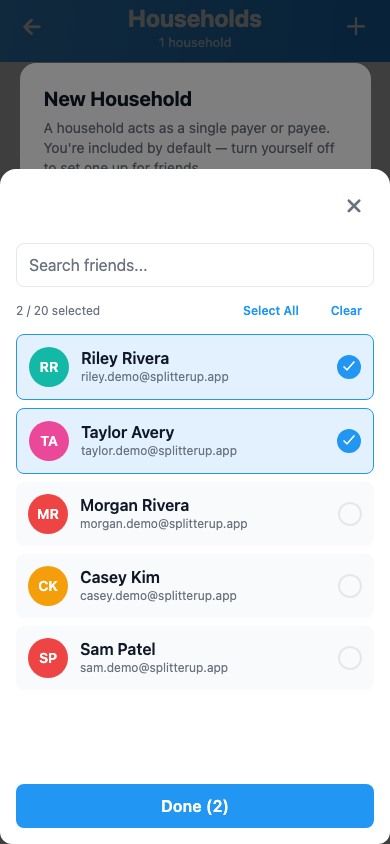
Go to Friends → Households and tap +. Give it a name, pick an emoji, and add members from your friends list.
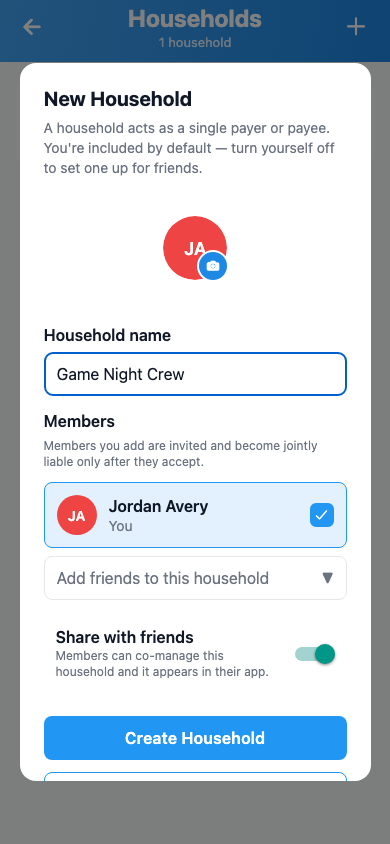
Invite Your People
Members get a notification to join. Once they accept, the household appears in both your apps and they can see shared balances.
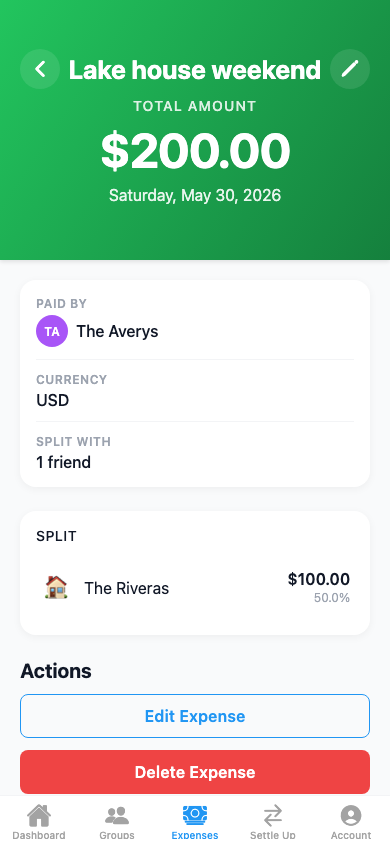
Start Splitting
Add the household to any expense — alongside individuals, inside a group, or on its own. The household's share shows up as one combined line.
The unit acts as one
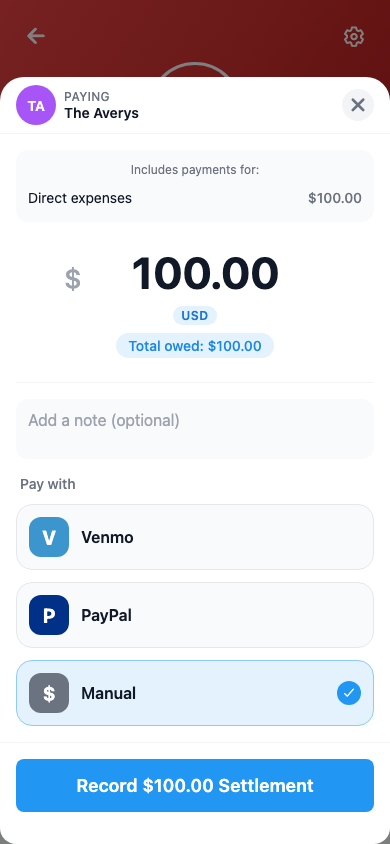
Either of you can settle
When the household owes someone money, either member can settle up on behalf of the whole unit. No coordination required — every member's balance clears at once. The household pays; everyone's books update together.
Works everywhere you split
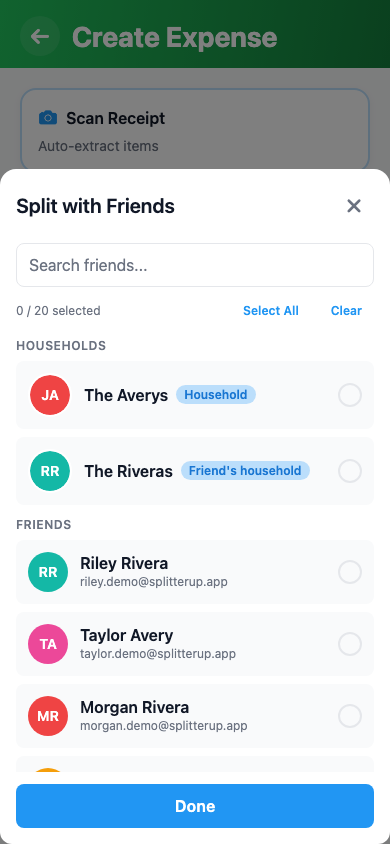
A Household shows up anywhere you can choose participants — adding a one-off expense with friends, splitting inside a group, or tracking a recurring bill. One unit, no doubling up, no mental math across two people. Out at dinner together? SplitterUp Live lets the table split a scanned receipt live, with everyone claiming their own items.
Common questions
A Group is for splitting bills among many people across many expenses with a running shared ledger. A Household is simpler: two or more people whose shared financial life you track as one entity. The Household acts as a single participant on expenses — you don't split within it, you split with it.
By default, Households are shared — all members co-manage it, and friends of any member can use it as a counterparty. Flip it to Private and only you can manage it (rename, add/remove members, dissolve), and outside friends can't discover it. "Private" is about who manages it and who can find it — not hiding it from the people in it. Once members accept the invitation they still see the Household and their joint balances, and either of you can settle its debts. Note: everyone you add must already be a friend of yours on SplitterUp — there's no way to add someone who isn't on the app.
Yes. Any active member of a shared Household can rename it, invite or remove members, settle debts on its behalf, and dissolve it. When either member settles a joint debt, both members' balances clear at once — no back-and-forth needed.
You choose what happens to any remaining debt: split it back to individual members (the default — any portion you tagged to a specific member goes to that person; the rest is split evenly), or forgive it entirely for a clean slate. Any money owed to the Household on P2P or solo expenses is written off. One exception: if the Household paid into a group expense, that group-context credit stays in the group's balance and is unaffected by dissolution. Your full expense and settlement history is preserved — dissolved doesn't mean deleted.
Yes — if you're friends with any active member of a shared Household, it appears in your participant picker. This is useful when you're splitting a bill with a couple as a unit rather than tracking a bill you're in together. Private Households stay out of discovery — outside friends can't find them or use them as a counterparty. The Household's own members still see it and their joint balances once they've accepted.
Non-creator members can leave at any time from the Household's management screen. If the balance is fully settled, leaving is instant. If you have an outstanding share, the app asks how to handle it — you can either reattribute your portion to the remaining members or mark it settled (useful if you've already squared up informally). The creator cannot leave — they must dissolve the Household instead.

Split expenses the smart way.
Available now on iOS, macOS, Android, and the web.
No install. Works in any modern browser. Sign in with Apple, Google, or email.
